

PDF Edit Studio
Drop the PDF to editUpload the PDF to edit
Change text, add pictures and marks.
PDFs, photos (JPG, PNG, HEIC) and Word documents — mix them freely
We never store your files on our servers.
They stay on this device: everything happens in your browser.
What it does
Edit a PDF without retyping it
Select the PDF's own words to copy, highlight or strike them out, or press Edit text to move a line or change its words. Add a picture, a check mark, a box or an arrow, white out what shouldn't be there, and sign it. It all happens on this page, in your browser.
How it works
Edit a PDF in three steps
Add the PDF
Its pages open big, as they'll print.
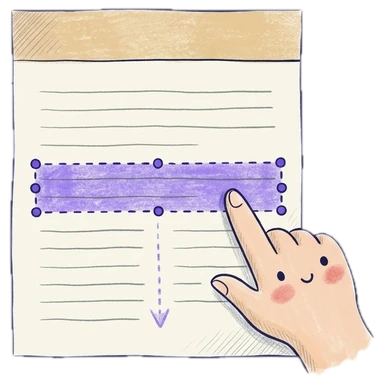
Select, edit or add
Drag across words to copy or highlight them, press Edit text to move or retype a line, or pick a tool to add a picture, a mark or a shape.
Download
Press Download (or Ctrl+S, ⌘S on a Mac): your changes are written into the PDF on your device.
Why Legalfina
What you can change
Its own text
Copy its words, or move a line and change them, at the same size.
Pictures
Drop a photo or a logo straight onto the page.
Marks and shapes
Check boxes, X marks, circles, arrows, highlights and freehand notes.
Never uploaded
The PDF stays on your device. Nothing is sent to us.
Questions
Questions about editing PDFs
Can I change the text that's already in a PDF?
Yes, line by line. Press Edit text and click a line: it opens in a box you can type in and drag. The old words are covered in white and yours are written in their place, at the same size.
Can I copy text out of a PDF?
Yes. Edit opens on Select: drag across the words, or press Ctrl+A (⌘A on a Mac) for every page, then Copy. Each line comes out on its own line. The same selection can be highlighted, underlined or struck out.
Does editing remove the old words from the file?
No. They are covered, not deleted: anyone who copies the text out of the file can still find them. Don't use this to hide information. It isn't redaction.
Can I add a picture or a logo?
Yes. Drop a picture onto the page, or click Picture and then the spot where it goes. Drag it into place and pull its corner to resize it.
Can I edit a scanned PDF?
A scan is a photo of the page, so it has no lines of text to click. You can still white out parts of it and add text, pictures, marks and your signature on top.
Is it free?
Yes. No account, no watermark, and the PDF never leaves your device.
Filing papers with a California court?
Legalfina prepares your court forms, checks them, and files them for you, with an attorney's review when you want one.
COMPANY
FOLLOW US
WHAT YOU CAN DO
RESOURCES


© 2021 - 2026 Legalfina Inc. All rights reserved.
LDA License #172 (Alameda County)
35111F Newark Blvd #314, Newark, CA