- Services

- Pricing
- Giving Back
- Articles
PDF to Word
Turn a PDF into a Word document you can edit. Free · nothing kept
Drop the PDF to turn into WordUpload the PDF to turn into Word
PDFs, photos (JPG, PNG, HEIC) and Word documents — mix them freely
Your file is processed on our server and never stored. A free account is needed.
- Free
- Never stored
What it does
Edit the words, not the picture of them
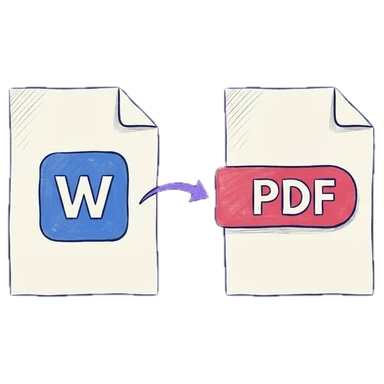
Need to change a declaration someone sent as a PDF, or reuse the text of an old filing? Convert the PDF to a Word document (DOCX): each line stays where it was on the page, and every word can be edited. Typed PDFs convert best; for a scan, make it searchable first so there are words to edit.
How it works
Convert PDF to Word in three steps
Add the PDF
Drop it on the page. Combine several or remove pages first if you like.
Pick Word
In the download, choose Word. Sign in (free) when asked.
Download
An editable .docx, ready for Word, Google Docs or Pages.
Why Legalfina
Conversion that keeps the page
Layout kept
Lines and paragraphs stay where the PDF had them.
Never stored
Converted on our server and sent straight back; no copy is kept.
Edit before you convert
Merge, reorder or delete pages first, right here.
Free
A free account is all it takes.
Questions
Questions about converting PDF to Word
How do I convert a PDF to Word?
Drop the PDF here, choose Word under Download as, and click Download Word document. You'll be asked to sign in (free).
Will the Word document look like the PDF?
Close to it: each line stays where it was on the page, so the layout holds. Complex layouts may need tidying in Word.
Can I convert a scanned PDF to Word?
A scan is a picture of words, so there's nothing to edit yet. Turn on Make searchable first (OCR), then download as Word.
Is my file stored?
No. It's converted on our server over an encrypted connection and sent straight back.
Can I convert only some pages?
Yes. Delete the pages you don't need first, or split the PDF and download one part as Word.
Filing papers with a California court?
Legalfina prepares your court forms, checks them, and files them for you, with an attorney's review when you want one.
COMPANY
WHAT YOU CAN DO
RESOURCES


© 2021 - 2026 Legalfina Inc. All rights reserved.
LDA License #172 (Alameda County)
35111F Newark Blvd #314, Newark, CA