- Services

- Pricing
- Giving Back
- Articles
Sign PDF
Draw or type your signature, then click where it goes. Add initials, the date and text too. Runs in your browser
Drop the PDF to signUpload the PDF to sign
PDFs, photos (JPG, PNG, HEIC) and Word documents — mix them freely
Your files stay on this device: everything happens in your browser.
- Free
- Never uploaded
What it does
Sign without printing and scanning
Draw your signature with a mouse, finger or stylus, type it in a handwriting style, or use a photo of it. Then click where it goes, drag it into place and size it. Add your initials, today's date or a line of text, on as many pages as you need, and download the signed PDF.
How it works
Sign a PDF in three steps

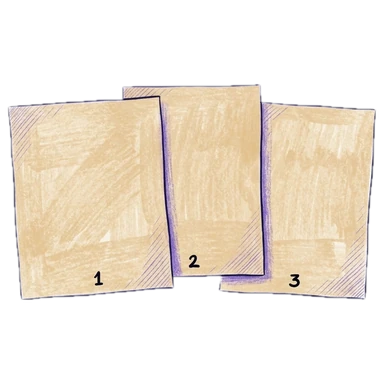
Add the PDF
Its pages open big, as they'll print.
Create your signature
Draw it, type it, or use a picture. It's kept in this browser for this visit only.
Place it and download
Click where it goes, drag and resize it, then download the signed PDF.
Why Legalfina
Sign with confidence
Never uploaded
Your document and your signature stay in your browser.
Exactly where you click
Place it right on the line, then fine-tune with the arrow keys.
Free, no watermark
No sign-up, no trial, no stamp across your pages.
Dates and initials too
Today's date in one click, initials for every page, and any line of text.


Questions
Questions about signing PDFs
How do I sign a PDF for free?
Drop the PDF here, click Signature, draw or type it, then click on the page where it goes and download the signed PDF.
Is a signature added this way legally binding?
An electronic signature is generally valid for most everyday documents in the United States (the federal ESIGN Act and state laws like California's Uniform Electronic Transactions Act). Some documents — certain court filings, wills, notarized papers — have their own rules. When in doubt, ask the court or the person you're sending it to.
Can I sign on a phone?
Yes. Draw your signature with your finger and tap the page where it goes.
Do you keep my signature?
No. It stays in this browser while the page is open and is gone when you leave.
Can I add the date or my initials?
Yes. Date adds today's date; Initials adds your initials; Text adds any line you type.
Filing papers with a California court?
Legalfina prepares your court forms, checks them, and files them for you, with an attorney's review when you want one.
COMPANY
WHAT YOU CAN DO
RESOURCES


© 2021 - 2026 Legalfina Inc. All rights reserved.
LDA License #172 (Alameda County)
35111F Newark Blvd #314, Newark, CA