- Services

- Pricing
- Giving Back
- Articles
Compare Text
Paste two versions and see exactly what was taken out and what was put in, word by word. In your browser
- Free
- Never uploaded
What it does
Know what changed before you sign
When the other side sends back “the same” agreement, a lease renewal or a revised declaration, paste both versions and every change shows up: words taken out struck through in red, words put in highlighted in green, with a count of each. Compare by word for prose, by line for lists and code, or by character for numbers and spelling. Your documents never leave your browser.
How it works
Compare two texts in three steps
Paste the original
Paste the first version into Original, on the left.
Paste the changed version
Paste the second version into Changed, on the right.
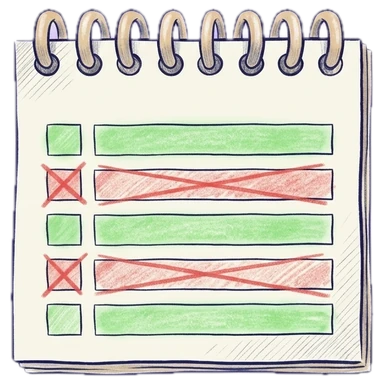
Read what changed
Below them, removed words are struck through in red and added words are green, with a count of each.
Why Legalfina
One free editor for every text job
Never uploaded
Your text stays in your browser. It isn't sent to our server or anyone else's, and it isn't saved.
Instant, and undoable
Every count updates as you type, and every change can be undone with Ctrl+Z (⌘+Z on a Mac).
Free, no sign-up
No account, no limits, no ads in your way.
Every tool on the same text
Clean it up, change its case, sort it and count it without copying it from page to page.

Questions
Questions about comparing texts
How do I compare two documents for free?
Paste the original text on the left and the changed text on the right. The differences show below at once, free and without an account.
Should I compare by word, line or character?
By word for contracts, letters and other prose; by line for lists, spreadsheets and code; by character to catch a changed digit or a spelling change inside a word.
Can I ignore changes in spacing or capitals?
Yes. Switch on Ignore spacing or Ignore upper and lower case.
Are my documents uploaded?
No. The comparison runs in your browser; neither version is sent anywhere or saved.
Can I compare Word or PDF files?
Copy the text out of each file and paste it here. To compare text from a PDF, Clean up's “Join within paragraphs” fixes its broken lines first.
Filing papers with a California court?
Legalfina prepares your court forms, checks them, and files them for you, with an attorney's review when you want one.
COMPANY
WHAT YOU CAN DO
RESOURCES


© 2021 - 2026 Legalfina Inc. All rights reserved.
LDA License #172 (Alameda County)
35111F Newark Blvd #314, Newark, CA