

Business Day Calculator
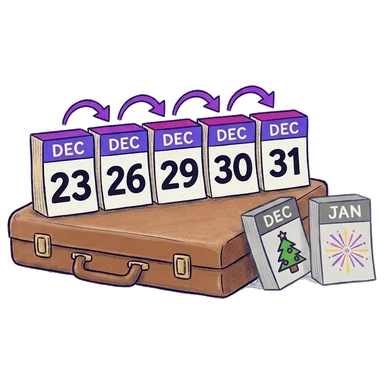
Count working days between two dates, or add them to a date, skipping the holidays you choose.
Enter both dates on the left.Enter both dates above.
- Free
- Nothing saved
 Thanksgiving DayIn 2 days
 Christmas Day
- 2027
 New Year's Day
 MLK Jr. Day
 Presidents' Day
 Memorial Day
 Juneteenth
 Independence Day
 Labor Day
 Columbus / Indigenous Peoples' Day
 Veterans Day
- Thanksgiving Day
- Christmas Day
- New Year's Day
How it works
Count business days in three steps

Pick the dates
Choose a start and an end date, or a start date and how many business days to add or subtract.

Choose the holidays
Federal holidays are ticked. Pick your state to add its court holidays, tick common closures, or set your own working week.
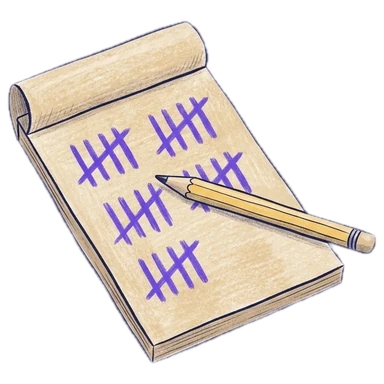
Read the count
The number of business days appears at once, drawn on the calendar with every skipped weekend and holiday marked.
Business days
Working days between any two dates

Weekends and federal holidays skipped
Federal holidays are ticked to start; untick any you work.

Between two dates, or added to one
3 business days, 10 business days, or several at once: 10, 20, 65.

Your state's holidays
Pick a state to add its court and state holidays, or closures like the day after Thanksgiving and Christmas Eve.

Your own working week
A Sunday-to-Thursday week, or only Tuesdays and Thursdays.

Counting a filing deadline?
The court day calculators follow each state's counting rules and its courts' own calendar.
Who it's for
Who uses the business day calculator

Contracts and notices
Count "within 10 business days" the way the contract defines a business day.

Payroll and HR
Working days in a pay period, a leave, or the time until a payment is due.

Shipping and delivery
When "5 to 7 business days" really ends, with the holidays in between.

Law offices
Quick working-day counts, with the court day calculators one click away for filing deadlines.

People handling their own matters
Count a response period or a notice in business days, with the holidays that apply.

Planning around holidays
See how a holiday week shortens a project's working days.
Questions
Questions about business days
What is a business day?
A working day: usually Monday through Friday, except holidays. Which holidays count depends on who's counting. Banks and federal offices close on federal holidays; state offices and courts close on their state's holidays; a contract may define its own.
How do I count working days excluding holidays?
Pick the two dates. Weekends and federal holidays are skipped right away; pick your state to add its holidays, and tick or untick any of them. The count changes as you tick.
Does the count include the start and end dates?
Between two dates, the start date counts and the end date doesn't, unless you switch on "Include the end date." When adding business days, the start date is day zero, so day 1 is the next business day.
Can I set a different working week?
Yes. Choose "My own days off" and pick the days: Friday and Saturday off, for example. Switch to "Count only these days" to count, say, only Tuesdays and Thursdays.
Are business days the same as court days?
Not quite. Court days follow the courts' own holiday calendar and counting rules, which can differ from a business's. For filing deadlines, use a state's court day calculator.
Is anything saved or sent anywhere?
No. The calculator runs in your browser and nothing you type leaves it.

Dealing with a family court case?
Legalfina prepares the court papers for divorce, custody and support, ready for you to sign and file.
COMPANY
FOLLOW US
WHAT YOU CAN DO
RESOURCES


© 2021 - 2026 Legalfina Inc. All rights reserved.
LDA License #172 (Alameda County)
35111F Newark Blvd #314, Newark, CA